Screen-Free Bedtime Story Device for Kids (Book, Yoto/Tonie, or Phone Radio)
Short answer: The best screen-free bedtime stories device for kids is the one you can repeat every night: (1) a parent reading aloud — no device; (2) a card- or figure-based player (Yoto/Tonie-style) so a child starts alone with no phone in the room; or (3) a phone audio app used face-down like a radio, with a sleep timer so playback stops on its own. Pick by independence vs cost vs “phone already in the house” — then see the side-by-side phone radio vs Yoto/Tonie comparison.
Last checked:
Screen-free bedtime stories are calm audio — or a parent reading aloud — that let a child close their eyes instead of staring at a glowing screen. If you start audio, put the device face-down or out of reach and skip autoplay video; a phone can still be screen-free at bedtime when it works like a radio. A dedicated player such as a card-based audio box needs no phone at all, and a continuous bedtime-radio-style app removes the need to keep tapping. Pair audio with a predictable routine and age-appropriate story lengths, and handle recurring nightmares with a daytime technique rather than more screen time.
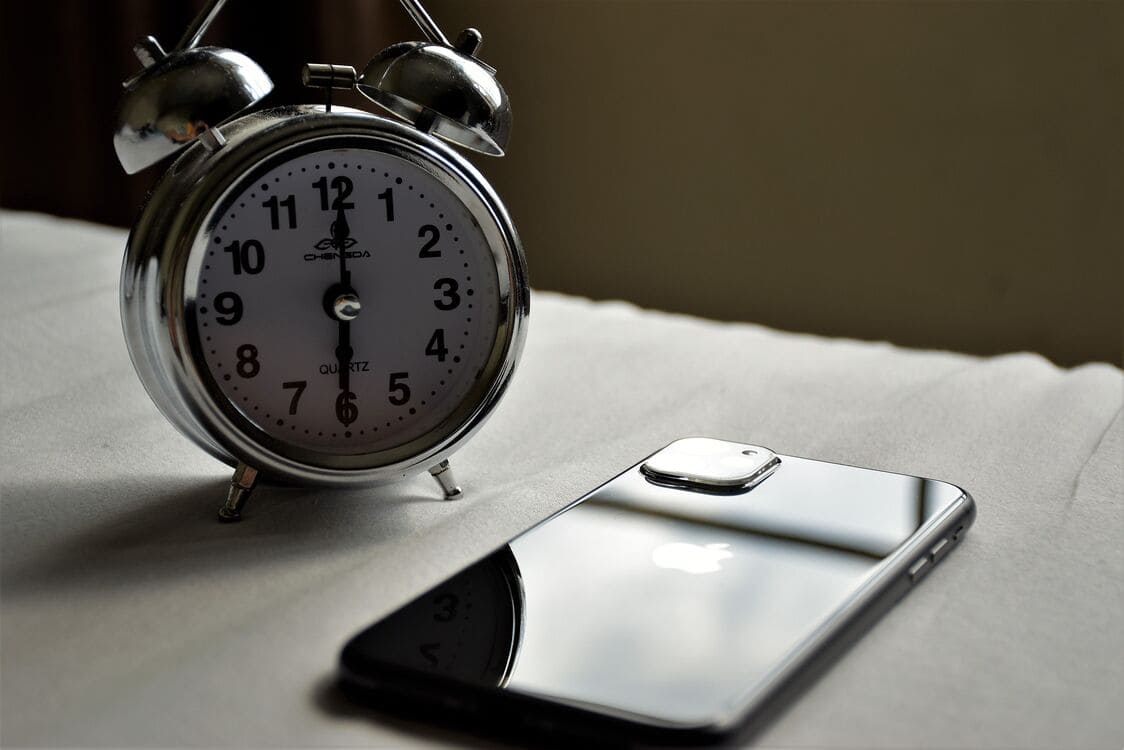
What "screen-free bedtime" actually means
Screen-free does not mean anti-technology. It means that during the wind-down window — the last stretch before sleep — no glowing rectangle is the main event. A screen-free bedtime can still involve a phone, a speaker, or a small audio player. What it avoids is the bright, fast-moving video that pulls attention back up when the goal is to settle it down.
The test is simple: at lights-down, is the child watching something, or listening with their eyes closed? Screen-free means the eyes get to rest, and the ears do the work.
Think of it as a boundary, not a ban. The phone can sit on the nightstand — it just needs to face down or stay out of reach, and it needs to be playing audio, not autoplaying video. The moment you remove the screen from the equation, you remove the thing the child is asking to see.
Why video bedtime fights sleep
Three habits make video work against sleep. First, light: a bright screen in a dark room signals wakefulness, not rest. Second, fast cuts: quick scene changes and bright motion hold attention instead of letting it go. Third, "one more": autoplay and the next-episode prompt turn "one short video" into a negotiation.
None of this means a single video is harmful — it means video is a poor wind-down tool. For children especially, pediatric guidance leans toward keeping screens out of the final hour before bed, and toward calm, low-stimulation routines instead.
It is not that children are weak or that a screen is bad. It is that a wind-down routine works by lowering stimulation, and video does the opposite. Brightness keeps the brain alert, rapid cuts keep the eyes moving, and the promise of "one more" keeps the negotiation alive. Audio sidesteps all three.
Three screen-free story paths
Use this table as a device chooser — book, dedicated player, or phone-as-radio — not as a ranking.
There is no single right answer. Each path below can work; the best one is the one you can actually repeat every night.
| Path | How it works | Pros | Trade-offs |
|---|---|---|---|
| Read aloud | You read a book in your own voice | Warm, bonding, no device at all | Needs your energy; stops when you stop |
| Dedicated player | A card- or figurine-based audio player (Yoto/Tonie-style) | No phone needed; child-friendly; tangible | Hardware cost; needs cards or figurines |
| Phone as radio | Face-down phone playing continuous audio | Free, continuous audio-only stories | Needs a phone set up once, then left alone |
Read aloud is the oldest option and often the most bonding, but it asks the most of a tired parent — and it ends the moment your voice does. A dedicated player gives a child physical control over a story without a screen, which many families love; the trade-off is upfront hardware and a library of cards or figurines to build up. A phone-as-radio is the lowest-cost continuous option: free, audio-only, and able to keep playing without you. The only setup is the habit of facing it down and leaving it alone. Comparing apps only? See our honest chooser of bedtime story apps.
Already reading print books? Keep the book and add audio on tired nights with our read-aloud and audio bedtime stories guide.
Want a fuller decision table for those last two paths? See phone radio vs Yoto/Tonie →
Before you buy a device, check setup
Dedicated players are set up on Wi-Fi through a companion app, and each new card or figure needs Wi-Fi the first time it plays. That is the most common pain point we found: among 96 recent 1–2★ Google Play reviews of the Yoto and tonies companion apps (Jan–Oct 2026, our analysis), about 40% described Wi-Fi or setup trouble. Those are low-star app reviews, not all owners. Many families are happy with their player. See the full comparison, method and caveats.
How to replace YouTube tonight
The first night is the hardest, because a child used to video will ask for it back. The key is not to argue but to make the switch calm and consistent. Start with the steps below, and let the routine — not a lecture — do the convincing.
Run this same switch every night until it becomes the default:
- Dim the lights before you start, so the room already feels like sleep.
- Choose audio, not video — a story to listen to, not a screen to watch.
- Start playback and let it run.
- Set a sleep timer or auto-off, so the story stops on its own and doesn't play until morning.
- Put the phone face-down or out of reach, so there is no screen light.
- Keep the same order as last night; predictability does half the work.
For the full hands-free routine — including the sleep timer, story-then-noise vs. continuous stories, and the "phone face-down, out of reach" step — see our guide to continuous bedtime radio.
Match your child's age
A two-year-old needs a short, repetitive story; a six-year-old can follow a longer plot. The same logic applies whether the story is read aloud or played as audio. See the full breakdown in bedtime stories by age.
Getting the length right matters because a story that runs too long outlasts a tired child’s attention, while one that ends too soon invites the "one more" negotiation — the same negotiation you are trying to leave behind.
If nightmares or bedtime fears show up
Audio is calming, but it is not a treatment for nightmares or anxiety. For recurring scary dreams, imagery rehearsal — rewriting the dream during the daytime — is the technique to reach for. See how to help kids with bedtime nightmares.
If the main worry is the dark room or separation at lights-out, use our calm plan for bedtime anxiety and fear of the dark.
Making the switch stick
Expect some pushback on the first few nights. A child who is used to watching will ask, "Can I see it?" The answer is the same calm line every time: "Tonight we listen." You do not need to explain blue light to a toddler — you just need the boundary to hold long enough to become normal.
After a week or so, most children stop asking, because the audio becomes the familiar thing. The goal is not a perfect, silent transition — it is a repeatable routine you can sustain even on the nights you are exhausted.
If the first attempt falls apart, that is fine. Come back the next night and run the same sequence again. Consistency over several nights matters more than any single bedtime going perfectly.
How StoryRadio fits
The routine above works with a book, a dedicated player, or any calm audio — no app required.
If you want a phone-as-radio option, StoryRadio is a free, audio-only bedtime story app for ages 1–8 (English only). There is no device to buy or set up. Tap once and it plays continuous audio-only stories, with no ads on any tier and at least 25 stories a day on the published free floor. In Personalize mode, stories are shaped mainly by the child’s interests, with age tailoring; other modes do not currently change by age or interests. A built-in sleep timer stops playback at the time you set, and favorites download for offline nights (up to 3 free, up to 10 with Premium). The trade-off: it needs a parent's phone nearby, and there are no physical cards a child can use alone. Put the phone face-down and let it run like a bedside radio.
Family Games are also all audio, so you can keep the screen off: Guess Animals (ages 2–5) and Step Forward (ages 8+, at the older end of StoryRadio’s 1–8 range), with 10 free plays a day of each. The idea is “No technology can replace your presence” — the parent is present, and the app prompts the game.
Premium is live, but it can't be purchased yet; for now it's available only through official StoryRadio promotions — follow us on X (@jambingstudio) for details.
Use it only if it fits your routine. A screen-free bedtime works with or without an app.
The point of any of these paths is the same: keep the room calm, keep the sequence predictable, and let the ears take over from the eyes. Whether the voice is yours, a card player’s, or a phone left face-down, what sends a child to sleep is the same thing — a familiar story, a low light, and nothing left to watch.
Frequently asked questions
What are screen-free bedtime stories?
Screen-free bedtime stories are calm audio — or a parent reading aloud — that let a child close their eyes instead of staring at a glowing screen. They can come from a book, a dedicated audio player, or a phone used face-down like a radio.
Can I use a phone and still be screen-free?
Yes. Screen-free is about the wind-down window, not about banning devices forever. Start the audio, put the phone face-down or out of reach, and skip autoplay video. When a phone works like a radio, bedtime stays screen-free.
How do I replace YouTube at bedtime?
Dim the lights, choose audio instead of video, start playback, put the phone face-down or out of reach, and keep the same calm sequence as last night. Predictability plus audio-only storytelling replaces the bright, fast-moving video loop.
What is a good screen-free bedtime story device for kids?
Card- or figure-based audio players in the Yoto/Tonie style fit children who can start a story alone and have no phone in the room. They require a purchase, Wi-Fi setup and a content library. A face-down phone app does not require new hardware; look for a sleep timer and no ads. Reading aloud requires no device at all. See the side-by-side phone radio vs Yoto/Tonie comparison.
Related guides
Sources
- American Academy of Pediatrics (HealthyChildren.org) — healthy sleep habits
- StoryRadio — continuous bedtime radio
- StoryRadio — bedtime stories by age
- StoryRadio — help kids with bedtime nightmares using imagery rehearsal
- Yoto travel guide
- tonies support — How Tonies work with your Toniebox
- Complaint share: StoryRadio analysis of 96 Google Play reviews, October 2026. Method on the comparison page.